What does the demo mean?
lue synchronizes word-by-word text highlighting with TTS narration, creating an immersive reading experience in the terminal.
Introduction
What lue achieved is exactly Audible’s Immersion Reading. Watch Whispersync for Voice and Immersion Reading for a minute to see it in action.
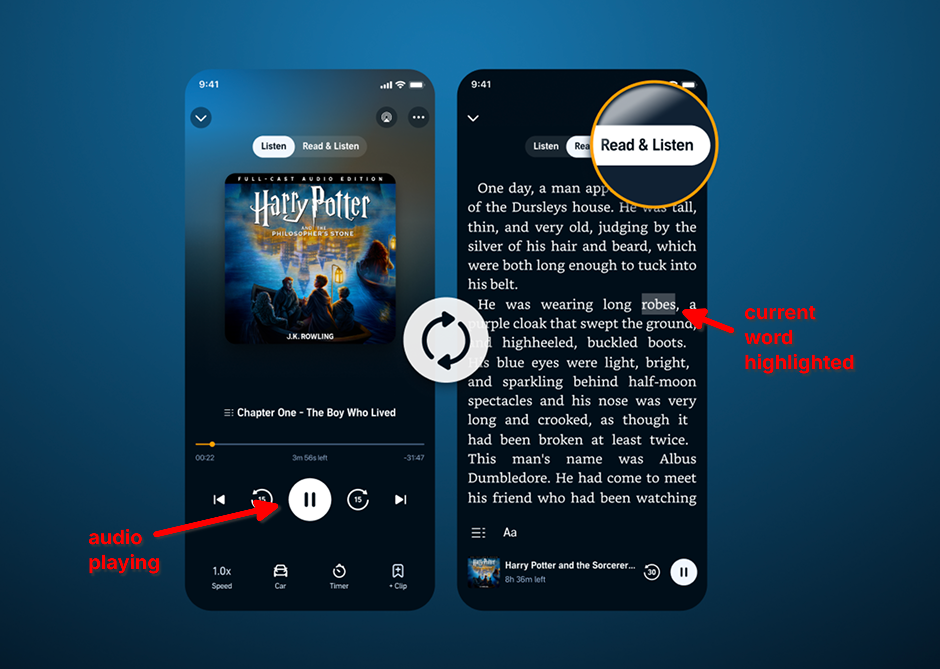
Why read text while simultaneously listening to the same audio?
This is known as bimodal reading:
I’m not going to dive into what the research says (if you’re interested, searching “bimodal reading” will yield plenty of results about its benefits). My experience is that it stabilizes and focuses my attention, providing a more immersive and enjoyable reading (listening) experience.
My long journey
lue’s word highlighting and audio synchronized with a TTS voice is the feature I’d been searching for years. Back when I was using Windows, I used a freemium program called Balabolka. It was the only decent program I could find with the feature set I want. But the Windows default TTS voice was horrible and I installed some TTS voices to make it manageable.
Then I found Reader View. When I used it in Microsoft’s Edge, I had access to Read Aloud with very good TTS voices. But I don’t want to open a browser just to use that feature.
Then I found lue. It’s the missing piece for the ultimate reading experience in the terminal. lue alone was not enough. The other piece that made it possible was edge-tts, which uses Microsoft Edge’s online TTS service without needing to use Microsoft Edge.
lue also supports Kokoro TTS for local processing to avoid any external communication.Getting Started
Some blessed soul added it to nixpkgs:
{
  home.packages = with pkgs; [
    lue
  ];
}
Remember to copy keys_vim.json to ~/.config/lue/keys_vim.json. For some reason the default j and k are reversed. lue --help will get you started. I use the following settings:
lue --speed 1.2 --keys ~/.config/lue/keys_vim.json ~/Books/current/poems-by-emily-dickinson/content.md
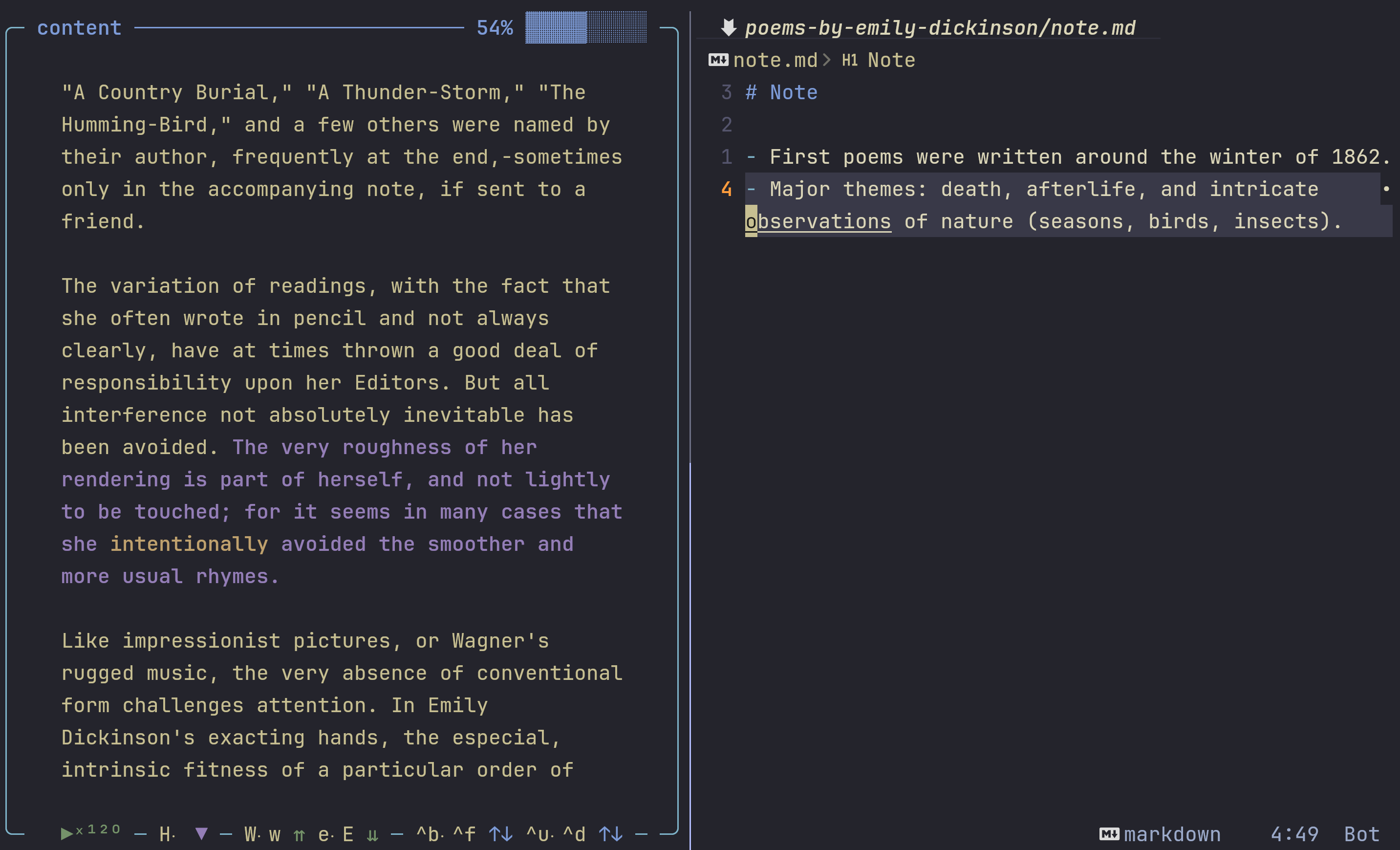
In tmux, I like to have the reading material on the left pane (65 chars per line for easier reading) while I take notes on the right pane:
Reading clipboard content
The following simple script helps to read content like blog articles on the fly. Just copy the content to clipboard and execute it.
#!/usr/bin/env bash

# `wl-paste` is for Wayland.
# X11: `CLIPBOARD_TEXT=$(xclip -o -selection clipboard)`
# macOS: `CLIPBOARD_TEXT=$(pbpaste)`
CLIPBOARD_TEXT=$(wl-paste)

if [[ -z "$CLIPBOARD_TEXT" ]]; then
  echo "Error: Clipboard is empty!"
  exit 1
fi

TMP_FILE="/tmp/clipboard_tts_processed.txt"
echo "$CLIPBOARD_TEXT" >"$TMP_FILE"

lue --speed 1.2 --keys ~/.config/lue/keys_vim.json "$TMP_FILE"
Conclusion
Give this project some love!